Design pillar I 
AI augments, it doesn't replace
Built on the principle that AI will not replace great teachers, but it can help create them.
Stop compromising between speed, depth, and polish for your corrections. Snapgrade gives you cleaner corrections, deeper feedback, and a print-perfect handback with just a few clicks.
Built on the principle that AI will not replace great teachers, but it can help create them.
Reduce workload fatigue dramatically with automated corrections, advice generation, and streamlined workflows.
Enforce assignment structure, review before accepting edits, or use the editor manually.
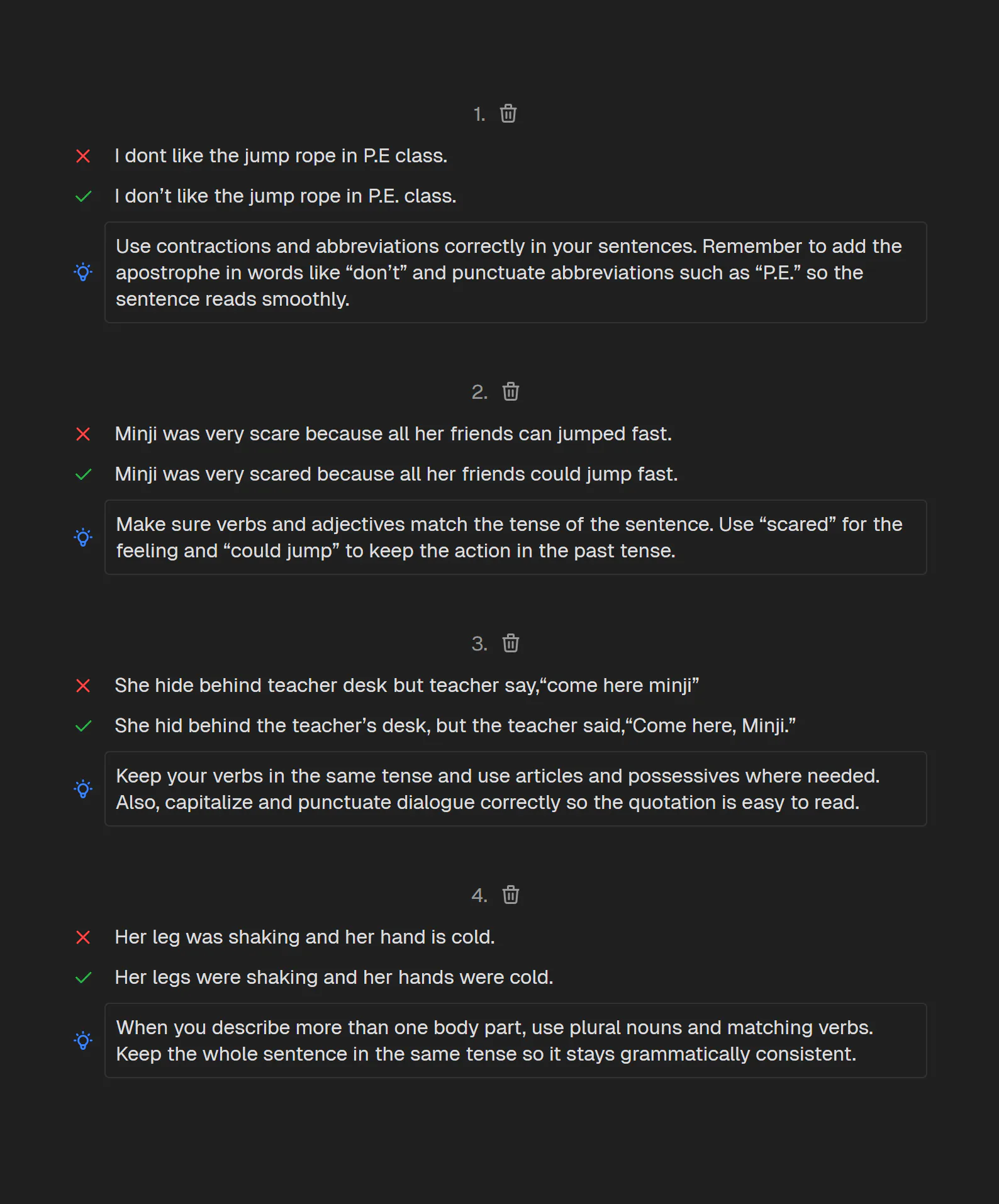
No more squeezing notes into margins, correcting between crowded lines, or depending on students to double-space. Snapgrade formats every edit, explanation, and footnote into a clean document students can actually read.
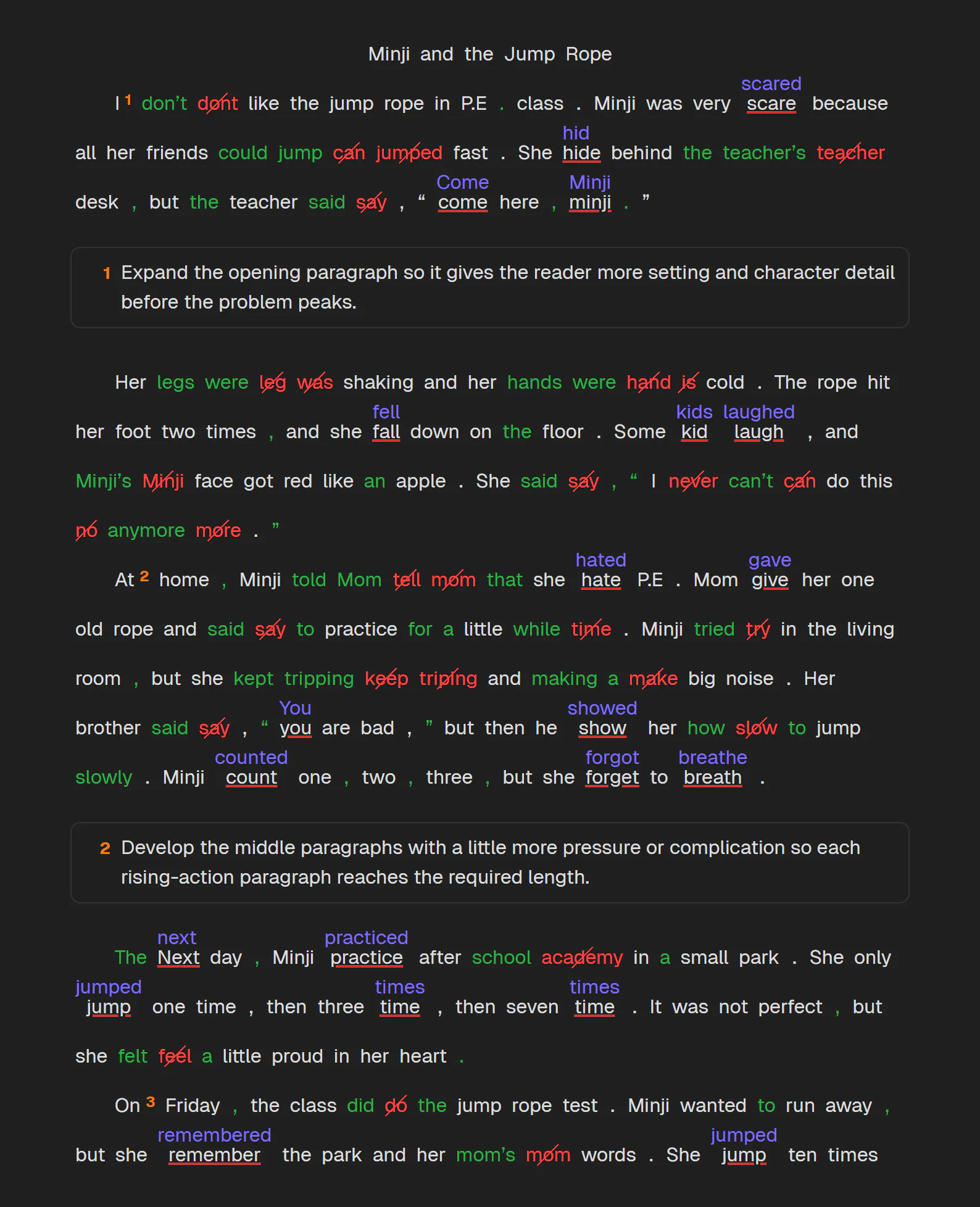
Hold selection to apply to all.
Remove "very" so the sentence sounds cleaner and less repetitive.
Use the base verb after "would" to keep the sentence grammatical.
Applying matching tense corrections across the remaining proposals.
Snapgrade never destructively rewrites a student's work. Corrections come back as proposals you can accept, reject, or revise - so the final feedback still reflects your standards, judgment, and teaching voice.
Generate advice, footnote explanations, and endnotes in the student's L1 or L2, tailored to their level, goals, and learning preferences.
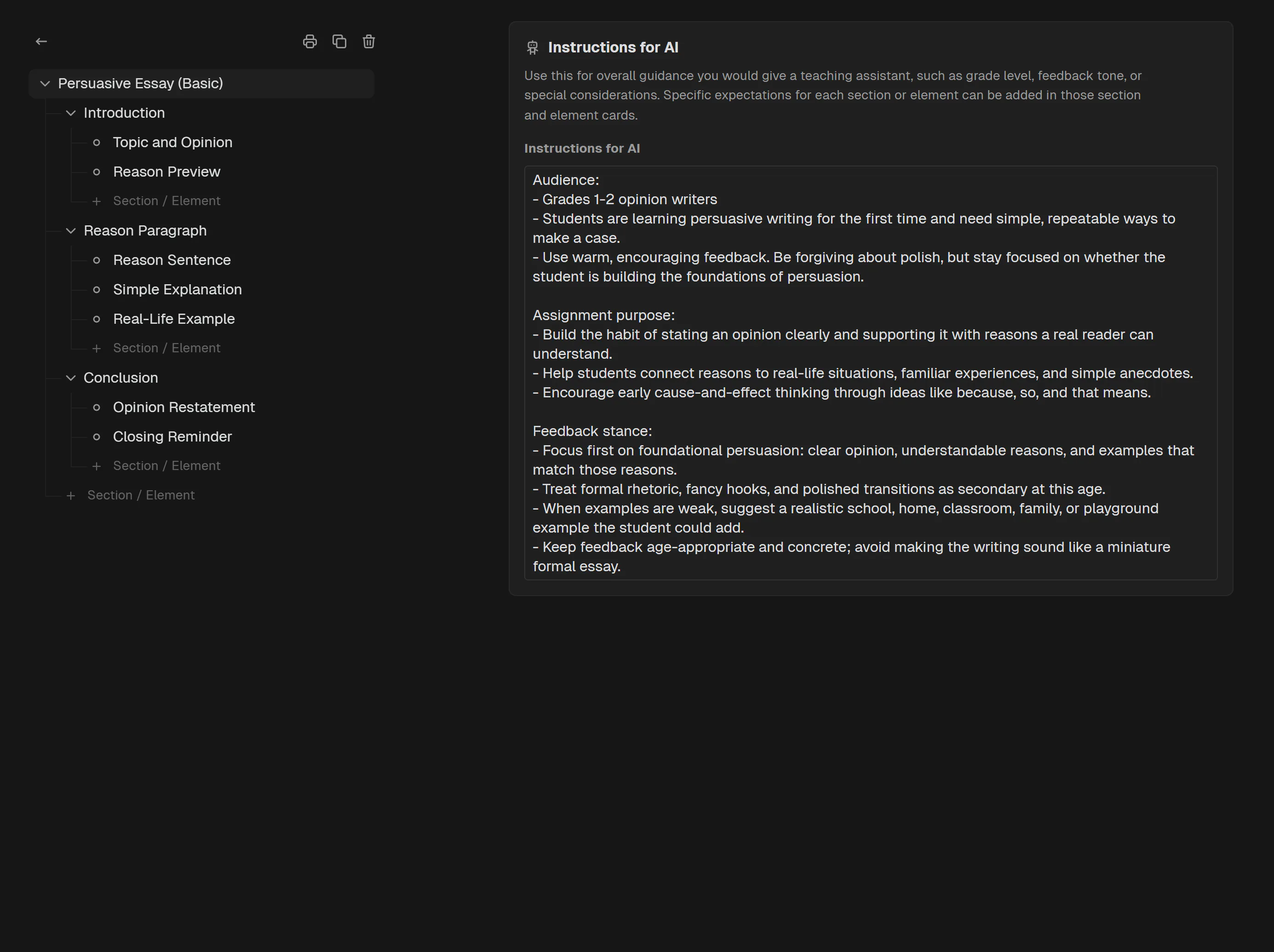
Define the sections, elements, and custom instructions behind each assignment, then steer AI feedback toward the focus, goals, and tone of the task students were actually given.
Upload a file, paste text, or OCR a photo of handwritten work.
Mark it manually or ask the agent to propose corrections.
Accept, reject, or revise proposals, then generate feedback.
Save, print, mark complete, and file the document in the document bay.

No. Snapgrade does not assign grades. There are no scoring rubrics yet, though rubric-supported grading is on the near-term roadmap. Today, it is a teacher-reviewed correction and feedback editor.